Admin Getting Started
Admin Account Setup
The initial admin account is created automatically on first startup using environment variables configured in the Kubernetes secrets:
GALAXY_ADMIN_USERNAME— Admin username (default:admin)GALAXY_ADMIN_PASSWORD— Admin password (generated during secret creation)
These are set when you run the scripts/create-secrets.sh script during initial deployment. The admin account is bootstrapped when the api-gateway service starts for the first time.
Accessing the Admin Dashboard
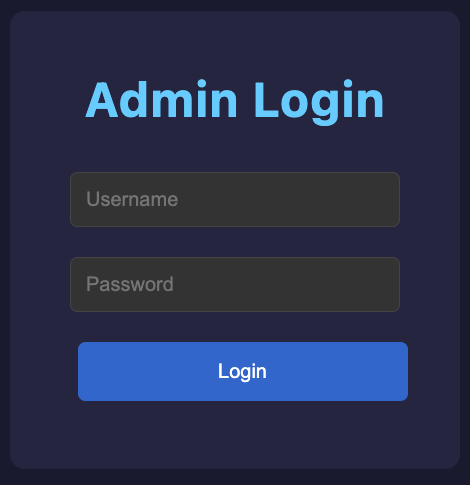
- Open your browser and navigate to the admin dashboard URL (default:
https://localhost:30001) - Accept the self-signed certificate if prompted
- Enter your admin username and password
- Click Login
Dashboard Overview
The admin dashboard provides real-time monitoring and control of the game server.
Game Status Card
Displays key server metrics, updated every 2 seconds:
| Metric | Description |
|---|---|
| Current Tick | The game’s tick counter |
| Tick Rate | Configured ticks per second (Hz) |
| Actual Rate | Measured processing rate (Hz) |
| Status | RUNNING (green) or PAUSED (red) |
| Time Scale | Game time multiplier (e.g., 2.0x = double speed) |
| Ticks Behind | Processing lag — 0 is healthy |
| Energy Drift | Physics integration accuracy. Green (<1e-6): excellent, Yellow (<1e-3): acceptable, Red (≥1e-3): degraded |
| Momentum Drift | Momentum conservation accuracy. Same color thresholds as energy drift. |
Controls: Pause and Resume buttons to halt or restart tick processing.
Tick Rate Control
Set the game’s tick rate (0.1–100 Hz). Higher rates mean faster physics updates but more CPU usage.
Time Sync
| Field | Description |
|---|---|
| Sync Enabled | Whether game time is synchronized to wall-clock UTC |
| UTC Drift | Difference between game time and real UTC (seconds) |
| Effective Scale | Actual time scale accounting for sync adjustments |
- Toggle Sync: Enable or disable UTC time synchronization
- Manual Time Scale: When sync is disabled, set a custom time multiplier (0.1–100x)
Snapshots
- Create Snapshot: Save the current game state
- Snapshot List: Shows the 10 most recent snapshots with tick number and timestamp
- Restore: Revert game state to any saved snapshot (requires confirmation)
Players
A table listing all player accounts, updated every 10 seconds:
| Column | Description |
|---|---|
| Username | Player’s account name |
| Status | Online (green) or Offline (gray) |
| Ship ID | Unique ship identifier |
| Created | Account creation date |
| Actions | Delete button (requires confirmation) |
Danger Zone
Factory Reset: Deletes ALL game data — players, ships, snapshots, everything. Requires double confirmation. This cannot be undone.
Logout
Click the Logout button in the header to end your admin session.